
Hidden Cameras for Elderly Care Monitoring
When a parent or grandparent is getting home care — whether it’s a professional caregiver or a family member helping out — most families go through a phase of wondering what’s actually happening when nobody else is around. It’s not necessarily about suspecting something specific. It’s about peace of mind, and sometimes catching small problems before they become big ones. A discreet camera in a common area is one of those things you set up, forget about most of the time, and are glad exists the few times it actually matters.
Easy-to-Place Cameras for Monitoring at Home



What to Look for in a Camera for Elderly Care Monitoring
Something that’s always powered is easiest. Battery-operated cameras need to be checked and recharged. For long-term monitoring of an elderly parent’s home, a camera that plugs into the wall — like the USB Charger model — is more reliable. It’s always on, you don’t have to remember to charge it, and there’s no risk of it dying in the middle of a shift when you actually need it recording.
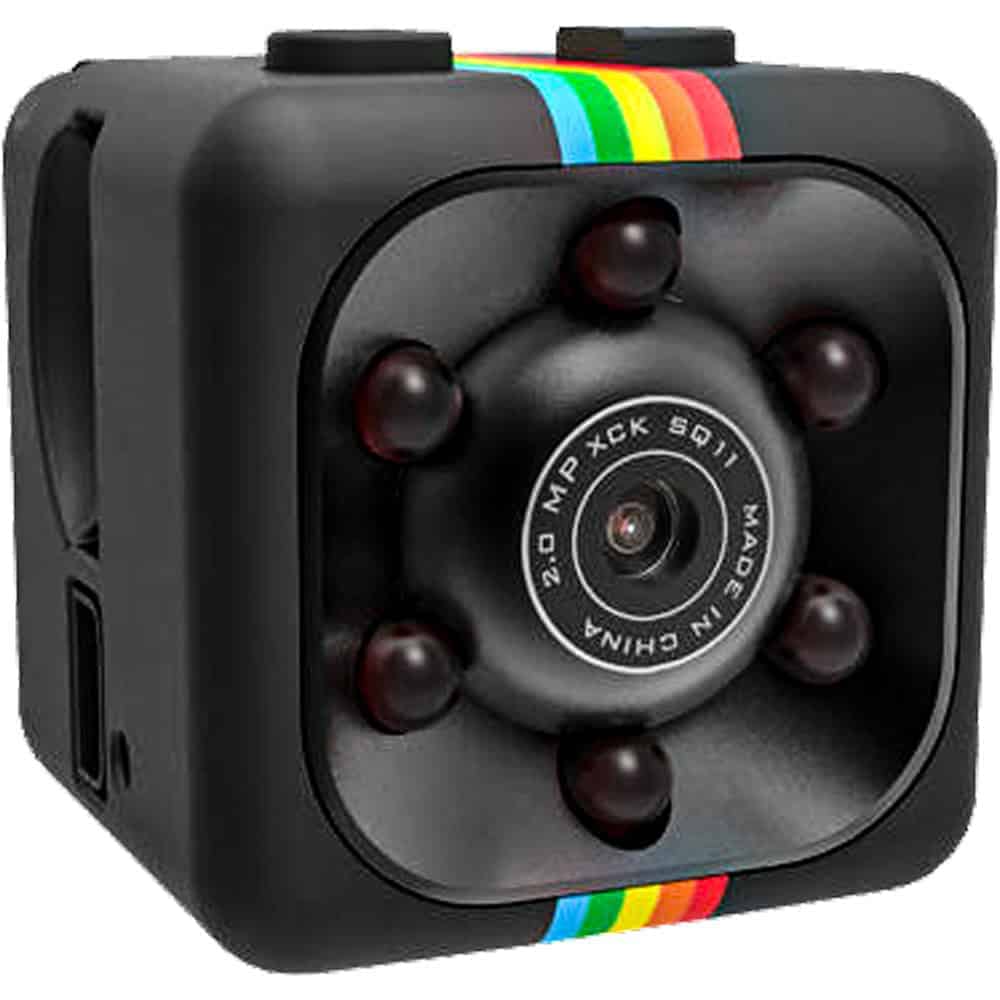
Motion activation reduces what you have to review. Nobody wants to scrub through 12 hours of someone sleeping to find a 20-minute window of concern. Motion-activated cameras like the Mini Hidden Spy Camera only record when something is actually happening in the room, which makes review practical and efficient.
Resolution matters when you need to see detail. The HD Pen Camera records at 1080P, which gives you clear footage of faces, hands, and what’s actually happening in a room. Standard-definition cameras can be adequate for general monitoring but fall short if you need to document a specific incident clearly.
Disguise that fits the room. The USB charger disappears in any room with electronics. The mini camera tucks naturally on a shelf or side table. The cross camera blends into many living room or bedroom settings. Pick something that looks like it belongs in your parent’s actual space — unfamiliar objects get noticed by curious caregivers.
Simple operation for family members. These cameras record to a memory card that you pull and plug into a computer. No app, no network account, no passwords to remember. For family members checking in periodically, that simplicity makes a difference.
How to Set Up Elderly Care Monitoring at Home
The USB charger is the easiest starting point. Plug it into an outlet in the main living area or room where care typically happens, insert a memory card, and you’re done. The charger never needs to be tended to — it just records when there’s motion and sits there otherwise.
For a bedroom or dining area, a mini camera on a shelf or the HD pen on a side table are both good options. Think about where the caregiver spends the most time with your parent and position the camera to cover that space. A test recording helps confirm the angle before you commit.
Recording laws in private residences generally allow this kind of monitoring, but it’s worth knowing the specifics in your state — particularly around audio. Our Laws & Restrictions page at https://stunmaster.com/law-and-restrictions/ covers the general landscape. Some families also choose to disclose the cameras to professional caregivers, which is also legal in most states and can have its own benefits for caregiver accountability.
Frequently Asked Questions
A: In most states, recording video in a private residence is legal when done by the homeowner or a family member with appropriate authority. Audio recording is more complicated — some states require consent from all parties being recorded. If your parent is the homeowner, their consent is what matters most. See our Laws & Restrictions page at https://stunmaster.com/law-and-restrictions/ for a state-by-state overview. When in doubt, consult a local attorney, especially if professional caregivers are involved.
A: There’s no universal right answer here, and it depends on your state’s laws. Some states require disclosure of recording to anyone in the space. Others don’t. Practically speaking, some families find that disclosed cameras work just as well for accountability — many professional caregivers actually prefer knowing there’s documentation in place. Check your state’s requirements first, then make a decision that fits your situation.
A: The USB Charger Hidden Camera is probably the most straightforward — plug it in, insert a memory card, done. It’s always powered so you don’t have to worry about batteries, it looks completely normal in any room, and setup takes about two minutes. For a more flexible placement option that doesn’t require being near an outlet, the Mini Hidden Spy Camera with its motion activation is a close second.
A: These cameras record to a micro SD memory card. To review, you power off the camera, remove the card, and insert it into a card reader on any computer. The footage files are standard video format that plays in any video player. With motion activation enabled, you’ll typically have shorter clips of actual activity rather than hours of continuous recording — much faster to review. Most families check it weekly or when something specific prompts a look.
A: Yes, and they’re actually more commonly used in these situations — cognitive decline can make it harder for a loved one to report problems with their own care. The practical and legal considerations are the same as with any home monitoring. Focus on common care areas like the living room or kitchen. If your parent is in a memory care facility rather than a home setting, check the facility’s specific policies — some states have laws specifically addressing cameras in care facilities.
Not Sure Which Camera Is Right for Your Parent's Home?
Give us a call at 800-859-5566 -- we can help you sort through the options based on the specific rooms you want to monitor, what kind of caregiver setup you have, and how hands-off you need the maintenance to be.
Shop All Hidden Cameras