


USB Charger Hidden Spy Camera with Built-In DVR – 1080p HD, 30fps, 32GB Micro SD Card, Loop and Motion Activated Recording, Works with Windows, Mac, Linux
$49.95
Buy with Confidence
Covered by a 30-Day Money Back Guarantee. If it's not right for you, returns are easy and hassle-free.

Secure checkout • 100% Satisfaction Guaranteed • 30 Day Money Back Guarantee • Easy Returns • Fast Customer Support
Looks exactly like a USB wall charger — because it is one. Plug it into an outlet and it records 1080p video at 30fps while blending into the background the same way every other charger in your house does. Comes with a 32GB micro SD card already included, which holds about 7 hours of footage.
- 1920x1080p at 30fps — crisp, clear recording without compression artifacts
- Loop or motion-activated recording modes — records continuously or only when something moves
- 32GB micro SD card included — up to 7 hours of footage, no extra purchase needed
- Works as a real USB charger — fully functional, charges devices normally
- Compatible with Windows, Mac, and Linux — plug in the included SD card reader and view footage on any computer
The Best Hidden Camera Is One Nobody Looks At Twice
Every home and office has at least three or four wall chargers plugged in at any given time. Nobody looks at them. That’s what makes this one work. It sits in an outlet, charges phones like a normal adapter, and records whatever’s happening in front of it. No app to set up, no WiFi to configure, no subscription. Just a camera that looks like something already on the wall.
The 1080p resolution at 30fps means the footage is actually usable — faces are identifiable, details are clear. A lot of covert cameras cut corners on video quality. This one records in AVI format via M-JPEG coding, which produces clean files that open on any computer with the included SD card reader.
Who This Hidden Camera Is For
The most common use is home monitoring — a nanny cam that doesn’t look like a nanny cam, or coverage for a room where a regular security camera would be noticed or tampered with. It’s also useful in a home office or small business where you want to keep an eye on things without making it obvious.
People who travel also use these in hotel rooms or rentals when they want some basic coverage without setting up a whole system. It’s compact, self-contained, and doesn’t require internet or a hub to function. Plug it in, set your recording mode, and it handles itself.
Is This the Right Choice for You?
Choose this USB charger camera if you want:
- A camera that genuinely blends in — no domes, no cables, no obvious housing
- Simple operation — no app, no WiFi, no account setup
- 1080p quality that produces usable, identifiable footage
- Motion-activated recording to extend storage and focus on relevant events
- Everything included — SD card and card reader in the box
Consider something else if you need:
- Live remote viewing — this records locally to SD card, no live stream capability
- Audio recording — video only, no microphone
Recording Modes and How to Use Them
Loop recording keeps the camera running continuously, overwriting the oldest footage when the 32GB card fills up. That’s roughly 7 hours of coverage before it cycles — useful if you want ongoing coverage and don’t need to archive everything. Motion-activated mode only records when the sensor detects movement, which conserves storage and makes reviewing footage much faster. You’re only watching the clips where something happened.
Switching between modes is straightforward — no menu system to navigate. To review footage, pull the micro SD card and plug it into the included card reader. It mounts as a standard drive on Windows, Mac, or Linux. AVI files open in any standard media player. No proprietary software required.
Dimensions are compact — 1.2″ x 1.2″ x 2.1″ and 0.2 lbs. It’s the size of a standard USB wall adapter. The camera lens is positioned so it captures the room in front of the outlet without an obvious aperture. At normal viewing distance, it looks like what it is: a charger.
Quick Comparison: How Does This Hidden Camera Stack Up?
| Feature | USB Charger Hidden Camera | Standard Security Camera | Nanny Cam (Obvious Housing) | Doorbell Camera |
|---|---|---|---|---|
| Concealment | Excellent — looks like a charger ✓ | Visible — deterrent only | Moderate — styled objects | Exterior only |
| Installation | Plug into outlet ✓ | Mount + wire or WiFi setup | Placement only ✓ | Wiring or battery install |
| WiFi / App Required | No ✓ | Usually yes | Some models | Yes |
| Video Resolution | 1080p at 30fps ✓ | 720p–4K | 720p–1080p | 1080p–4K ✓ |
| Storage Included | 32GB SD card ✓ | Usually separate purchase | Varies | Cloud subscription usually |
| Best For | Covert indoor monitoring | Visible deterrence | Styled covert monitoring | Front door / exterior |
Practical Details
Dimensions: 1.2″ x 1.2″ x 2.1″. Weight: 0.2 lbs. Records 1920×1080 video at 30fps in AVI format via M-JPEG coding. Loop and motion-activated recording modes. Powered by AC outlet (no battery drain). Includes 32GB micro SD card and micro SD card reader. Compatible with Windows 7/10/11, Mac OS, and Linux. 90-day warranty.
If you want a covert camera that actually stays covert, this one does the job — good resolution, simple setup, and nothing about it that says “camera.”
Frequently Asked Questions
Does it actually charge phones while recording?
Yes — it’s a fully functional USB charger. Plugging a phone or device into the USB port charges it normally. The recording function runs independently of the charging function. This dual functionality is part of what makes it convincing as a cover — a charger that doesn’t charge anything would be noticed. This one behaves exactly as expected for anyone who uses it.
How do I view the footage?
Remove the micro SD card from the device and insert it into the included SD card reader. Plug the card reader into a USB port on your computer. The card mounts as a standard removable drive — open it like any folder and you’ll see the video files organized by date. AVI files play in Windows Media Player, VLC, QuickTime, or any standard media player. No software download or account needed.
What’s the difference between loop recording and motion-activated recording?
Loop recording runs continuously and overwrites the oldest files once the card is full — you always have the most recent 7 hours of footage. It’s good for situations where you want uninterrupted coverage. Motion-activated recording only starts a clip when the sensor detects movement in the frame. This keeps storage use low, makes review much faster since you’re only watching clips with activity, and is better for monitoring a space over longer periods without constant oversight.
Is this legal to use as a home or office camera?
In most situations, recording video in your own home or business space is legal in the US. The legal considerations get more complicated in certain scenarios — recording in spaces where people have a reasonable expectation of privacy (bedrooms, bathrooms) is generally not permitted. Recording common areas, entry points, or workspaces you own or manage is typically fine. Audio recording laws are separate and stricter in many states. This device records video only. If you’re uncertain about your specific situation, checking your local laws is the right move before setting it up.
| Recording Mode | Loop or Motion Activated |
|---|---|
| Video Resolution | 1920 x 1080 |
| Video Format | AVI |
| Video Coding | M-JPEG |
| Video Ratio | 16:09 |
| FPS | 30 |
| Support system | Linux, Mac OS, Windows 7/10/11 |
| Color | Black |
| Included | Micro 32gb SD Card, Micro SD Card Reader |
| Warranty | 90 Days |
| Weight | 0.2 lbs |
| Dimensions | 1.2" x 1.2" x 2.1" |
Additional information
Related products
-
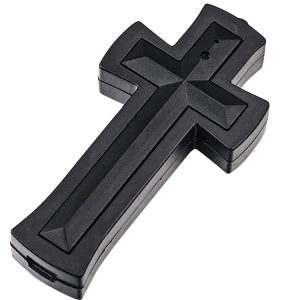
Cross Hidden Spy Camera with Built-In DVR – 1080P Full HD, 30fps, 16GB Internal Memory, Wearable Necklace Design, USB Download, Photo & Video Modes
$59.95 Add to cart -
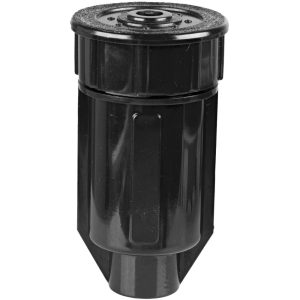
Sprinkler Head Key Hider Diversion Safe – Real Sprinkler Disguise, Waterproof Outdoor Hiding Spot, 2½” x 1½” Interior, Virtually Indestructible Yard Key Storage
$6.95 Add to cart -

Pepper Soda Can Diversion Safe – Screw-Top Hidden Compartment, 1″ x 3.5″ Interior Cavity, Weighted Design, Concealed Storage for Cash Keys and Small Valuables
$9.95 Add to cart -

Diversion Safe Insect Spray Can – Hidden Storage in Plain Sight, Real-Size Bug Spray Disguise, 1¾” x 3¾” Interior, Foolproof Hiding Spot for Cash, Keys, and Jewelry
$29.95 Add to cart